





RX Plus — External Output & Wireless Video Recording


RX Plus — External Output & Wireless Video Recording
RX Plus expands AirStudio S1 with multiple output options.
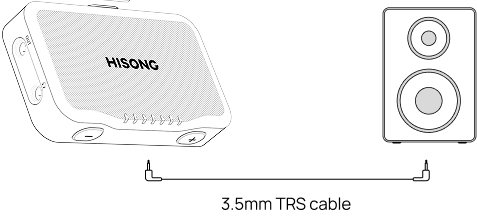
Connect to a Speaker or Mixer
-
Power on RX Plus.
-
Connect a 3.5 mm TRS cable from the headphone icon output to your speaker, mixer, or PA system.
-
Adjust volume on the external device.
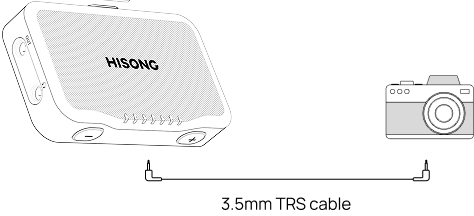
Connect to a DSLR or Mirrorless Camera
-
Attach RX Plus using the cold shoe mount.
-
Power on RX Plus.
-
Connect a 3.5 mm TRS cable from the "OUT" output to your camera’s audio input.
-
Start recording on your camera.
Connect to a Phone or Tablet
-
Insert the USB-C attachment.
-
Power on RX Plus.
-
Use the USB-C port to connect to compatible smart devices when needed.
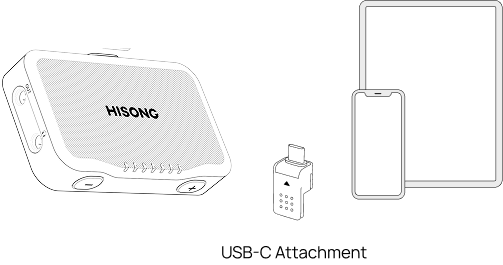
The cold shoe mount and USB-C attachment use the same slot and can be swapped depending on your setup. You can connect to a speaker, a camera, or both at the same time.
Perform live. Record video. Capture content — within the same setup.


