


AirStudio Accessories
Build your flow Keep it simple
Start with one capsule.
Add only what your creative setup needs.

- Camera
- Mixer
- Speaker
Expanded outputs · compatible equipment
AirStudio S1 + AirStudio Muse
A bigger stage for your sound
Universal Wireless Audio Receiver
Send your AirStudio mix to a camera, mixer or speaker.
Connection & recording details
- Camera audio through 3.5 mm output
- Compatible USB-C output workflows
- Works with S1 and Muse
Output expansion only. This receiver does not provide instrument input.
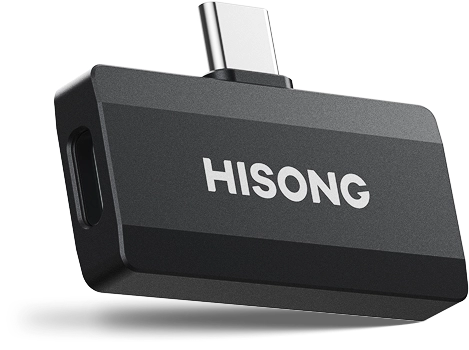
Wireless Receiver Hub with USB-C host connector and receiver port
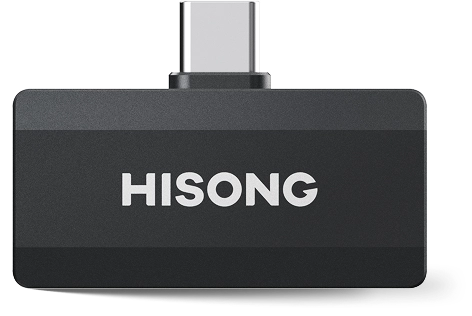
Wireless Receiver Hub front view
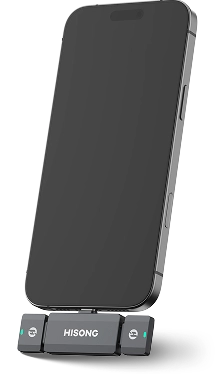
Wireless Receiver Hub connected to a phone and two Wireless Audio Receivers
Two voices One connection
Wireless Receiver Hub
Bring two AirStudio capsules into one phone, tablet or computer.
For conversations, livestreams and music made together.
- Connect two Wireless Audio Receivers
- Keep both audio inputs in sync
- USB-C plug-and-play, powered by your device
Requires two AirStudio capsules and two Wireless Audio Receivers.
Hub sold separately.
From solo to together
One capsule for each creator
Each person uses their own AirStudio and paired receiver.
The Hub brings both into your recording device.
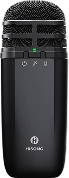
AirStudio capsule 1
Wireless Audio Receiver 1
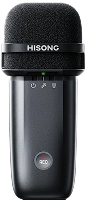
AirStudio capsule 2
Wireless Audio Receiver 2
*Use the same AirStudio capsule or mix capsules.

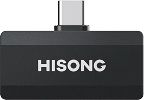
Wireless Receiver Hub
Two receiver inputs · USB-C

Phone, tablet or computer
USB-C connection + power
- Podcasts
- Interviews & videos
- Livestreams
- Vocal duets
How to connect
1. Plug the Hub’s USB-C connector into your phone, tablet or computer.
2. Insert one Wireless Audio Receiver into each of the Hub’s two USB-C ports. Use each receiver with its paired AirStudio.
3. Check both receiver indicators and confirm both voices reach your recording or streaming app.
The Hub automatically detects the connected receivers and synchronizes their audio inputs.
Compatibility & specifications
- Host connection
- USB-C male ×1
- Receiver inputs
- USB-C female ×2
- Compatible capsules
- AirStudio S1
AirStudio Muse - Host devices
- iOS / Android phones, tablets and computers with USB-C or a compatible adapter
- Power
- From the connected host device
Use the compact Wireless Audio Receiver included with each AirStudio. The Hub does not record on its own; a host device and receivers are required.
Availability & what you need
Expected Dec 2026. Timing may change.
The Hub is an optional accessory, sold separately. It is not included or reserved with an AirStudio order. Each AirStudio capsule includes one Wireless Audio Receiver.
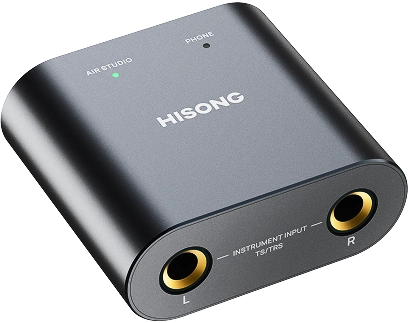

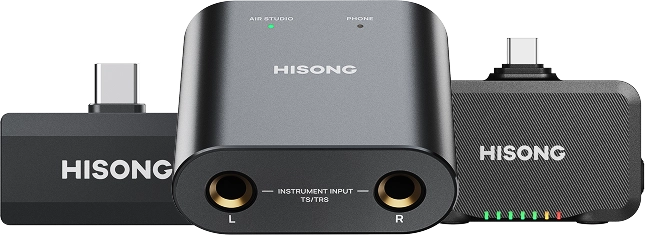
Instrument Adapter with L and R 6.35 mm TS/TRS inputs
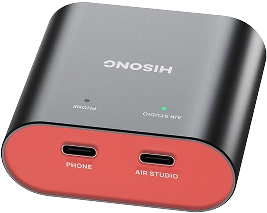
Instrument Adapter with PHONE and AIRSTUDIO USB-C ports
Plug in Play it your way
Instrument Adapter
Bring guitar, bass or stereo keys into your Muse setup. Record with HISONG LINK and hear your performance through Muse’s wireless monitoring earbuds.
- Two 6.35 mm TS/TRS inputs
- One instrument, two instruments or stereo keys
- Dedicated USB-C ports for your phone and Muse
Two inputs
More ways to play
Your instrument
Your setup
Instrument Adapter
L / R inputs

Connect one instrument to L input.
Use compatible 6.35 mm TS/TRS audio cables.
Instrument Adapter
USB-C ports
Instrument Adapter
L / R inputs
Connect one instrument to each input.
Use compatible 6.35 mm TS/TRS audio cables.
Instrument Adapter
USB-C ports
Instrument Adapter
L / R inputs
Connect the keyboard’s left (L) and right (R) outputs to the matching L and R inputs.
Use compatible 6.35 mm TS/TRS audio cables.
Instrument Adapter
USB-C ports
How to connect
1. Connect the instrument’s output to L input. For two instruments or a stereo source, connect both L input and R input.
2. Connect PHONE to your phone or tablet and AIR STUDIO to Muse using USB-C cables.
3. Check the connection lights. Open HISONG LINK, choose the instrument recording workflow and check your input levels before recording.
Inputs, devices & connection lights
- L / R inputs
- 2 × 6.35 mm TS/TRS
- PHONE
- USB-C · phone / tablet audio and data
- AIR STUDIO
- USB-C · AirStudio Muse audio and data
- Sources
- Electric guitar, bass, acoustic guitar with a pickup output, keyboards and other instruments with compatible audio outputs
- Power
- From the connected host device
Recording tracks & availability
With Muse and HISONG LINK, App MultiTrack keeps vocal, USB backing and instrument audio on separate app tracks. The L/R sockets provide two input channels; they do not add extra app tracks.
Onboard DualTrack keeps MIC and combined MUSIC as two source groups. Instrument input joins MUSIC. App MultiTrack and onboard recording do not run simultaneously.
Expected Feb 2027. Timing may change. Instrument Adapter is sold separately and is not included or reserved with a Muse order.
Already in your capsule
Start with the essentials
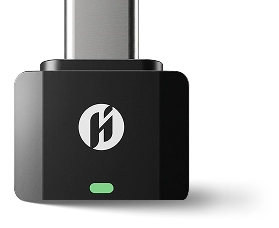
The compact Wireless Audio Receiver is included with both S1 and Muse for compatible USB-C phone, tablet and computer workflows.
Find your AirStudio