


Output Expansion
Universal Wireless Audio Receiver
Camera. Mixer. Stage
Send AirStudio audio to compatible cameras, mixers, speakers and PA systems.

$99 USD

A complete portable recording system for capture, wireless monitoring and sound control. Add high-fidelity onboard recording to your phone, HISONG Link and DAW workflows.


Built-in storage

No phone or app required

Natural voice
Clear detail

Maximum recording
format
Built-in storage
No phone or app required
Natural voice
Clear detail
Maximum recording
format
$399$279

Six core capabilities. One simpler way to create.

Clear, natural vocals with detail and presence. Choose Condenser or Enhanced Dynamic using the physical microphone switch.

Connect to a compatible phone or computer. Record into HISONG Link or your DAW with S2 as the audio interface.

Short-press REC to record directly on S2. Short-press again to stop and save. Onboard recording works independently of a phone or app.


Hear your vocals and backing in real time with ZeroSync™ wireless monitoring. The monitoring earbuds are part of the S2 core system.

Send S2 audio wirelessly to a compatible phone or computer for recording and streaming. Receiver output is one mixed stereo feed.

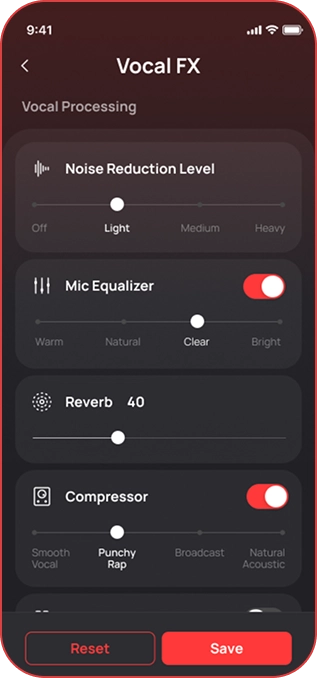
Shape your vocal sound with real-time processing and effects on AirStudio. HISONG Link provides deeper sound controls.
The complete core comes first.
Add the connections that fit your setup.
Camera. Mixer. Stage
Send AirStudio audio to compatible cameras, mixers, speakers and PA systems.
$99 USD

Keep your vocal and backing separate in HISONG Link.
Adjust the balance, keep the performance.
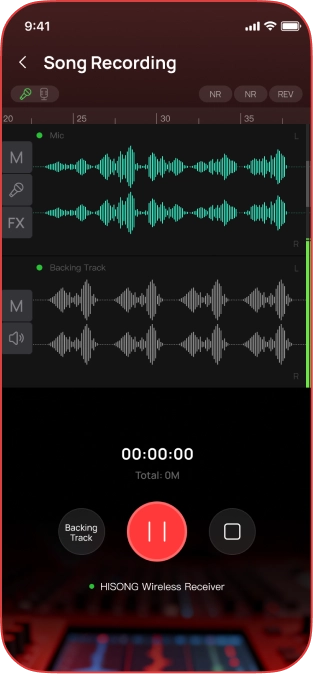
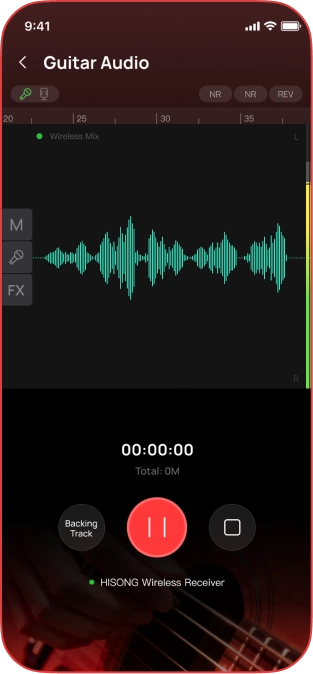
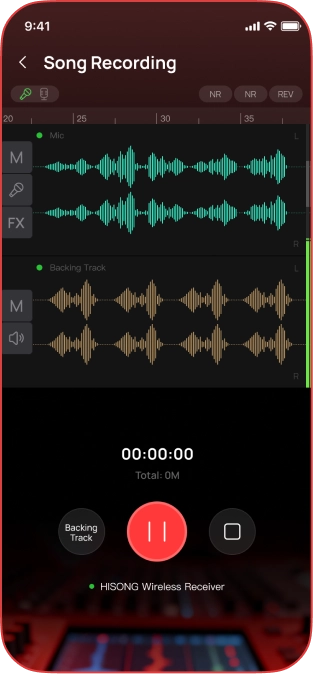
Two tracks. More room to shape
 Vocal
Vocal
 Backing
App DualTrack records up to two tracks (Vocal & Backing). Sound controls and recording management stay together in HISONG Link.
App DualTrack: vocal and backing tracks are recorded and managed in HISONG Link.
Onboard DualTrack: S2 itself saves the microphone track and combined Music track. Up to two tracks in either mode.
Use the supported direct USB-C App workflow for App DualTrack. A wireless receiver outputs one mixed stereo feed, not separate source tracks..
A microphone capturing voice and an acoustic instrument together does not automatically separate them into different tracks.
HISONG Link / AirStudio S2
Choose a starting sound, adjust your listening balance and fine-tune your voice. Keep the controls close, whether you are saving an idea or getting ready to perform.
*Interactive app preview · Controls are simulated; no audio is recorded or processed.
Choose Clean or your saved Custom sound as a starting point.
Adjust listening levels separately from your microphone level.
Explore tone, reverb and supported vocal processing in one place.
Record, organize takes and fine-tune your sound in one app. Choose App DualTrack, control onboard recording, or expand to MultiTrack with Instrument Adapter.



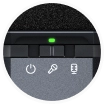

Slide the microphone switch to Condenser or Enhanced Dynamic.
A short press starts recording immediately by default.
Your take stays on S2, ready for what comes next.
Onboard REC
00:00
Short-press REC to start · default
*Interaction demo only. No browser microphone is used.
Onboard DualTrack
Keep the microphone separate from the combined music source. Adjust their balance after recording.


Onboard DualTrack saves up to two tracks: MIC for the microphone, and MUSIC for backing plus an instrument input when used. It does not create three separate onboard tracks.
An instrument’s electrical output requires the separately sold Instrument Adapter, coming later. A MUSIC file is created when a valid music source is present.
Saved on S2
*USB Drive Mode provides file access. USB audio-interface operation is not simultaneous with storage access.
 01 / Save
Your recording stays in onboard storage.
 02 / Transfer
Connect by USB-C and use USB Drive Mode to access your files.
 03 / Create
Back up, edit or continue producing in your DAW.
Record onboard or with your connected setup. HISONG Link brings sound control, supported App recording and your library together, with more creative options on S2.
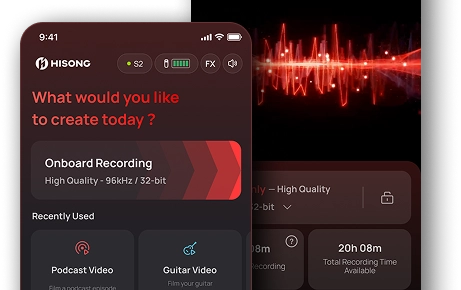
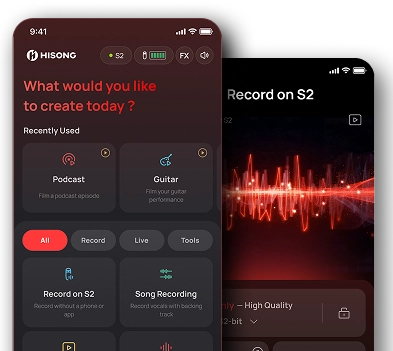
VocalSense 2.0 helps reduce unwanted background sound while preserving natural vocal detail. Capture vocals and acoustic performances through the S2 microphone.

Record on S2 or with your phone, HISONG Link and DAW. Choose the path that supports your creative moment.
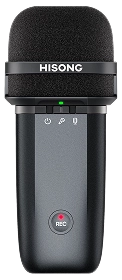
Dedicated REC control, storage and supported Onboard DualTrack recording.
 On the device
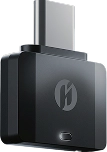
The receiver delivers a mixed stereo feed. Direct USB-C supports the compatible app and DAW workflows.
 Phone
Phone
 Computer
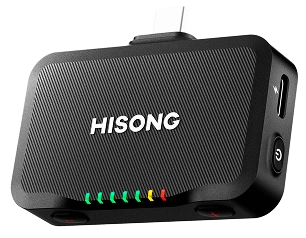
Add the Universal Wireless Audio Receiver ($100, sold separately) for compatible camera and live-sound setups. Compatible with both S1 and S2.
 Camera
 Speaker
 Mixer
Mixer
Connect by USB-C for supported separate-track recording in HISONG Link or your music software. Switch to USB Drive Mode when you need to copy onboard recordings.
 App
App
 DAW
DAW
 Files
Files
Plug the receiver into a compatible USB-C phone, tablet or computer. It receives your AirStudio sound and takes power from the connected device.
 Phone
Phone
 Tablet
 Computer
Connect to a compatible camera, mixer, speaker or PA system. The Universal receiver gives your AirStudio sound more places to go.
 Camera
 Mixer
Mixer
 PA
PA
 AV
AV
Send the same AirStudio sound to two supported receiver setups, such as your phone and camera, or a livestream and PA system.
Phone
 Camera / PA
Choose the way you work
Keep every S1 workflow. Record onboard, create in HISONG Link, capture video or produce in your DAW. Choose the tools that help you do more.

Short-press the physical REC button to start recording immediately by default. For a different start gesture, choose a 1-, 2- or 3-second hold in HISONG Link settings.
Onboard Recording
In supported Onboard DualTrack use, S2 saves the microphone separately from the combined Music source. This direct-to-device option complements recording in HISONG Link or your DAW.

Send AirStudio sound to a compatible phone or camera while you focus on the shot.
Wireless receiver recording
The receiver sends one mixed stereo feed, not independent source tracks. The Universal receiver adds compatible camera and analog output options.

Create in HISONG Link with sound control, App DualTrack and your library together. Connect directly through USB-C for supported two-track recording.
App DualTrack / expanded MultiTrack
App DualTrack records vocal and backing separately, up to two tracks. S2 expands to vocal / USB backing / instrument MultiTrack with Instrument Adapter and HISONG Link. The adapter is an upcoming, separately sold accessory.

Use S2 as the audio interface for your compatible music software. Keep recording and producing in the same session.
USB Audio Interface Mode
USB audio formats and available channels depend on the selected mode. Switch to USB Drive Mode to access onboard files; storage access and USB audio-interface operation are not simultaneous.
Explore the recording formats, monitoring and mode-dependent capabilities behind S2.

 Up to 96 kHz / 32-bit
High-resolution recording
Up to 96 kHz / 32-bit
High-resolution recording
 64 GB
Built-in recording storage
64 GB
Built-in recording storage
 Ultra-Low Latency
Wireless monitoring
Ultra-Low Latency
Wireless monitoring
Onboard DualTrack saves up to two source groups: MIC and combined MUSIC. An instrument input, when used, joins the MUSIC group. It does not create three independent onboard tracks. Instrument input requires the separately sold Instrument Adapter, coming later.
App DualTrack records vocal and backing separately, up to two tracks.
One mixed stereo feed. Receivers do not create the independent App MultiTrack files.
USB Drive Mode is for onboard files. USB Audio Interface Mode is for recording and production. These USB functions are not simultaneous.
Connected workflows. Onboard recording. One system.
The Universal Wireless Audio Receiver is a different, optional accessory.
Pre-order · Estimated shipping: 2026-12-20
*App DualTrack requires a supported direct USB-C connection and HISONG Link. Wireless receivers output one mixed stereo feed.
*The maximum recording format applies only to supported mono microphone workflows. Other modes use their supported formats.
*Instrument Adapter is sold separately, is coming later, and is not included in either S2 pack.
Yes. Power on S2, choose your pickup mode and short-press REC to start recording directly to its 64 GB built-in storage. Short-press REC again to stop and save. No phone, app, computer or wireless receiver is required.
Short press is the default. If you prefer, HISONG Link lets you set a 1-, 2- or 3-second hold to start.
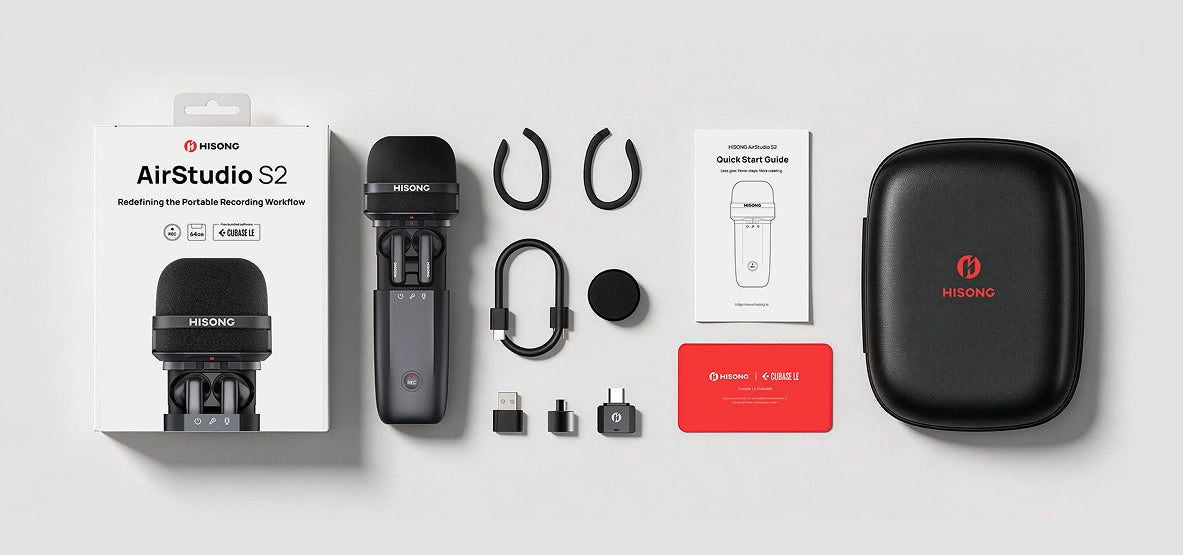
AirStudio S2 comes in one configuration for $279, with the S2 main unit, two wireless monitoring earbuds, the Wireless Audio Receiver, a magnetic desktop stand, mounting accessories, a windscreen, a USB-C cable, a USB-C-to-USB-A adapter and a carrying case.
The Universal Wireless Audio Receiver is a different product. It is sold separately for $99 and is not included with S2.
Choose it when you want to send S2 audio to a compatible camera, mixer, speaker or PA system. It adds digital and analog output options, works with AirStudio S1 and S2, and costs US$100, sold separately.
For compatible USB-C phones, tablets and computers, start with the included Wireless Audio Receiver or a direct USB-C connection. The Universal Wireless Audio Receiver is not required for onboard recording or wireless monitoring.
Yes, with a supported DualTrack workflow. Onboard DualTrack saves your microphone audio as MIC and active backing sources together as MUSIC, with up to two tracks stored on S2. A MUSIC file is created only when a valid backing source is present.
App DualTrack records vocal and backing as up to two tracks in HISONG Link through a supported direct USB-C connection. Wireless receivers deliver one mixed stereo feed rather than separate tracks.
Stop and save your take, then connect S2 to your computer with USB-C. In HISONG Link, switch S2 to USB Drive Mode, copy your Take folders or WAV files, and open them in your DAW to continue editing.
You can also sync onboard takes to HISONG Link on a compatible phone through direct USB-C. File transfer does not use the wireless receiver. Switch back to USB Audio Interface Mode when you want to record over USB again.
Yes. S2 supports compatible iOS, Android, Windows and macOS workflows. Use direct USB-C for supported phone recording, HISONG Link and DAW workflows, or the included Wireless Audio Receiver for compatible wireless digital recording.
HISONG Link adds sound controls, supported App recording and take management. Available functions depend on your device, app and connection. Onboard recording gives you another way to capture ideas while keeping these connected workflows available.
Yes. The included wireless monitoring earbuds use HISONG ZeroSync™ for real-time, ultra-low-latency monitoring. Take them out of the S2 compartment, put them on and power on S2. You can monitor your voice even without starting a recording.
The earbuds store and charge inside S2. Use them for live monitoring; ordinary Bluetooth headphones and AirPods can introduce noticeable delay.
Yes. S2’s microphone captures vocals, speech and acoustic performances. Choose Condenser mode for detailed capture in a quieter space, or Enhanced Dynamic for more focused vocal capture around background noise.
VocalSense™ 2.0 helps reduce distracting environmental sound while preserving natural vocal detail. Voice and an acoustic instrument picked up by the same microphone remain together on the microphone track.
No. The default is 48 kHz / 24-bit. Up to 96 kHz / 32-bit float is available in supported mono microphone workflows; it is not the fixed format for every mode.
The available format depends on the recording mode, connected device and software. You can check a take’s actual format in its recording details in HISONG Link.


